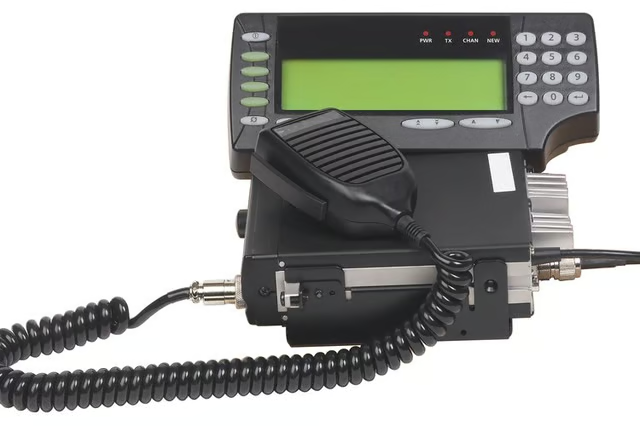
How to Program a Uniden Bearcat BC350A Scanner

How to Program a Uniden Bearcat BC350A Scanner
Written By
Tara Kimball
Tara Kimball
Published: Jun 20, 2010
Updated: Nov 20, 2021
1 minute read

The BC350A supports 11 bands to broaden the scanning capabilities.

  1. Press “Hold” when the scanner stops on a frequency you want to store. Watch for the “HOLD” icon on the screen.

  2. Press “PROG” to enter the programming mode. Look for “CH” blinking on the screen to confirm that you entered the programming mode. Press “POLICE,” “FIRE” or “PRIVATE” to select the band where you want the frequency stored.

  3. Press “PROG” to exit the programming mode once you have stored all of the frequencies you want to save.

The Drip Cap

  • The Uniden Bearcat BC350A base scanner allows you to scan channels on five separate service banks as well as your own customizable private bank.
  • Press “PROG” to exit the programming mode once you have stored all of the frequencies you want to save.

Photo Credits

Hemera Technologies/PhotoObjects.net/Getty Images

Hemera Technologies/PhotoObjects.net/Getty Images

Tara Kimball

Tara Kimball is a former accounting professional with more than 10 years of experience in corporate finance and small business accounting. She has also worked in desktop support and network management. Her articles have appeared in various…

Sponsored
HomeSteady Logo

HomeSteady is the ultimate guide for all your household needs, from cleaning and HVAC to electrical, DIY and maintenance.

Property of TechnologyAdvice. © 2026 TechnologyAdvice. All Rights Reserved

Advertiser Disclosure: Some of the products that appear on this site are from companies from which TechnologyAdvice receives compensation. This compensation may impact how and where products appear on this site including, for example, the order in which they appear. TechnologyAdvice does not include all companies or all types of products available in the marketplace.