How to Reset a GE Home Alarm System

How to Reset a GE Home Alarm System
Written By
Jon Stefansson
Jon Stefansson
Published: Dec 13, 2010
Updated: Nov 20, 2021
1 minute read

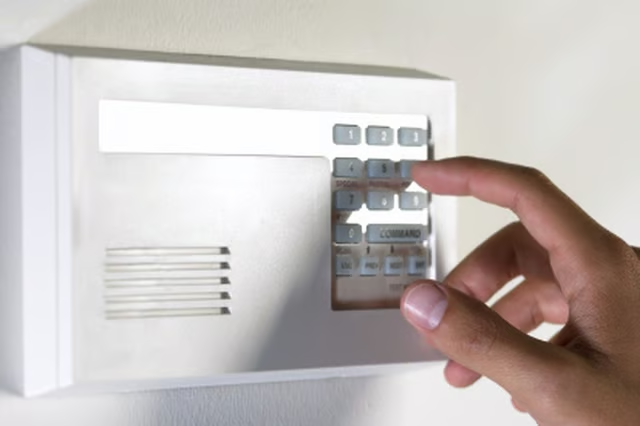
As part of its home electronics range, GE makes several models of alarm system; the Concord and Simon models incorporate features like automatic light switch control and a panic alarm buttons. You will want to reset your GE home alarm system should you accidentally trigger the alarm.

  1. Press the "1" or "Disarm" button on the alarm control panel.

  2. Enter your access code using the numeric keys or the keys on the side of the control panel.

  3. Wait a moment. The alarm will be reset once your code is accepted.

The Drip Cap

  • General Electric is one of the largest corporations in the world.
  • As part of its home electronics range, GE makes several models of alarm system; the Concord and Simon models incorporate features like automatic light switch control and a panic alarm buttons.

Photo Credits

Brand X Pictures/Brand X Pictures/Getty Images

Brand X Pictures/Brand X Pictures/Getty Images

Jon Stefansson

Jon Stefansson has been a professional writer since 2009. He is currently freelancing as an advertising and web copy writer for several Canadian and American clients. Stefansson graduated from Staffordshire University, England, with a…

Sponsored
HomeSteady Logo

HomeSteady is the ultimate guide for all your household needs, from cleaning and HVAC to electrical, DIY and maintenance.

Property of TechnologyAdvice. © 2026 TechnologyAdvice. All Rights Reserved

Advertiser Disclosure: Some of the products that appear on this site are from companies from which TechnologyAdvice receives compensation. This compensation may impact how and where products appear on this site including, for example, the order in which they appear. TechnologyAdvice does not include all companies or all types of products available in the marketplace.