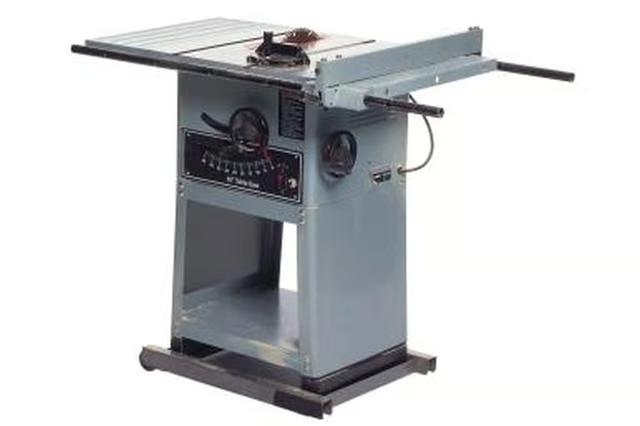
How to Cut a 2x2 on Diagonal With a Table Saw

How to Cut a 2x2 on Diagonal With a Table Saw
Written By
Michael Logan
Michael Logan
Published: Sep 8, 2011
Updated: Nov 20, 2021
1 minute read

Step 1

Set the table saw fence 3 inches from the blade, which is twice the width of a 2-by-2. Start the saw and cut a piece of plywood 3 inches wide using the fence as a guide. Turn the saw off. (Note: A 2-by-2 is dimensional lumber that measures 1 1/2 inches wide.)

Step 2

Set the 2-by-2 on the plywood with one end flush with the plywood end and the left edge of the plywood and the opposite end of the 2-by-2 flush with the right side of the plywood. Mark the edge of the 2-by-2 on the plywood and remove the 2-by-2.

Step 3

Apply double-sided tape to the plywood piece along the marked line. Remove the tape backing. Place the 2-by-2 on top of the tape, with the edge aligned with the marked line. Press the 2-by-2 firmly onto the tape.

Advertisement

Step 4

Place the plywood on the table saw with the right edge against the fence. Set the fence so the table saw blade aligns with the leading corner of the 2-by-2.

Step 5

Start the saw and feed the plywood and 2-by-2 through the blade while keeping the edge of the plywood against the fence. The plywood will have a straight cut, but the 2-by-2 will be cut in two diagonally between opposite corners.

Tips

This method wastes a piece of plywood but is easy to do and works for any length of 2-by-2 that is equal to or shorter than the length of the plywood.

If you have many pieces of 2-by-2 to cut like this, make a plywood strip a 2 feet longer than the 2-by-2s. Cut a center slot with the saw, align opposite corners of the 2-by-2 with the slot and cut the pieces. Change the tape for each cut.

Warnings

Wear appropriate safety gear, including a dust mask and eye protection. Use push sticks to move the boards through the saw and keep all body parts 6 inches or more from the spinning blade.

Photo Credits

Comstock/Comstock/Getty Images

Michael Logan

Michael Logan is a writer, editor and web page designer. His professional background includes electrical, computer and test engineering, real estate investment, network engineering and management, programming and remodeling company owner.…

Sponsored
HomeSteady Logo

HomeSteady is the ultimate guide for all your household needs, from cleaning and HVAC to electrical, DIY and maintenance.

Property of TechnologyAdvice. © 2026 TechnologyAdvice. All Rights Reserved

Advertiser Disclosure: Some of the products that appear on this site are from companies from which TechnologyAdvice receives compensation. This compensation may impact how and where products appear on this site including, for example, the order in which they appear. TechnologyAdvice does not include all companies or all types of products available in the marketplace.