


Things You Will Need
-
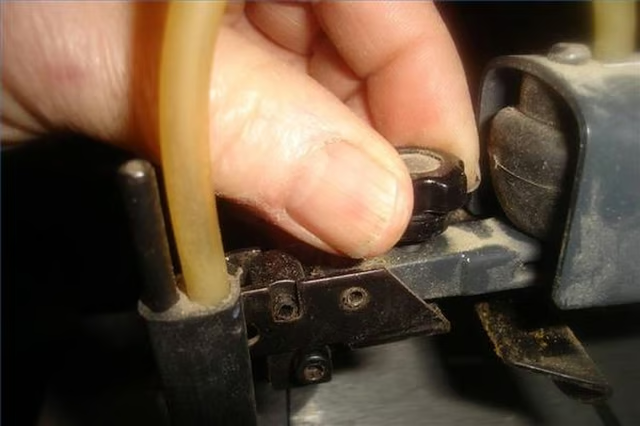
Locate the blade tension knob on the top of the upper blade clamp. Turn the knob in a counterclockwise direction to remove all tension on the blade.
-
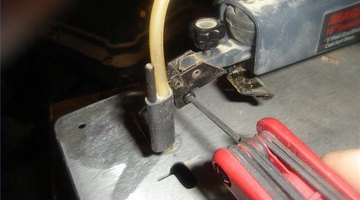
Loosen the lower blade clamp on the end of the bottom saw arm. It is loosened by turning the Allen head screw in a counterclockwise direction.
-
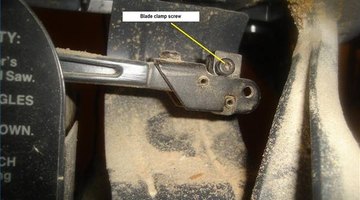
Loosen the upper blade clamp screw in the same manner as the lower clamp screw.
-
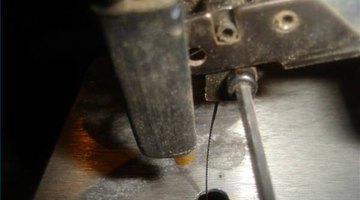
Insert the new blade in the lower clamp and tighten the clamping screw. Be sure to have the points of the saw teeth pointed down.
-
Insert the other end of the blade as far as it will go in the top clamp and tighten the clamping screw.
-
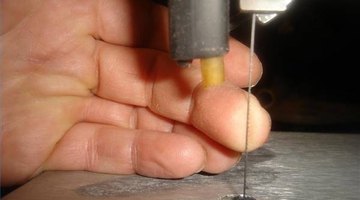
Turn the blade tension knob clockwise until the blade is tight. Test blade tension by attempting to push the blade off to the side with your finger. When properly tensioned, it should barely deflect.
-
Check the blade clamp screws again to make certain they are tight.
The Drip Cap
- A scroll saw is the tool to use if you want to make wooden puzzles, fancy clocks or intarsia artwork.
- A popular saw for this work would be any of the various scroll saws made by Craftsman.
- It is loosened by turning the Allen head screw in a counterclockwise direction.
- Insert the other end of the blade as far as it will go in the top clamp and tighten the clamping screw.