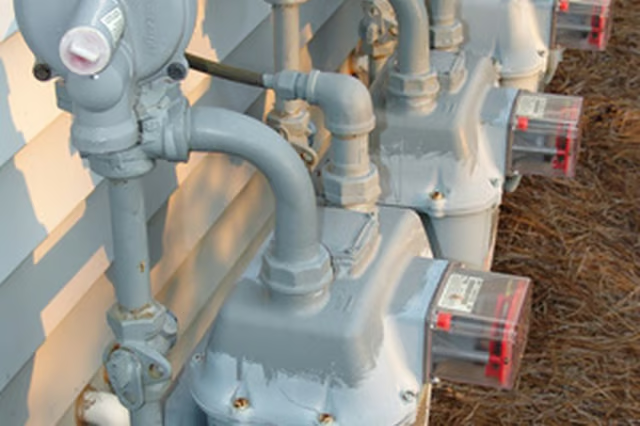
How to Connect a Natural Gas Meter

How to Connect a Natural Gas Meter
Written By
Steve Sloane
Steve Sloane
Published: Nov 30, 2010
Updated: Nov 20, 2021
2 minute read

Things You Will Need

  • Wire brush
  • Threading compound
  • Small brush
  • Pipe wrench

The sections of pipe (usually 8-foot lengths) are connected together with threading compound and steel couplings, which are available in 30, 45, 60, 90 and 180-degree angles. Connecting the gas pipe to the meter is the first step before installing the rest of the gas line in place, and is a quick process.

  1. Clean one threaded end of the gas pipe, using a steel brush. Also make sure that there is no dirt in the inlet on the gas meter.

  2. Apply threading compound all around the thread at one end of the piece of gas pipe, using a small brush. The gas meter will have a pipe coming from the meter that either has a tee coupling or a 90-degree elbow joint fitted to it. The tee coupling will have one inlet sealed with a steel plug, and one inlet open for the gas pipe.

  3. Thread the compounded end of the piece of steel pipe into the tee coupling that is attached to the meter. Do this by hand.

  4. Place the jaws of a pipe wrench around the new piece of gas pipe, close to the meter. Turn the wrench clockwise to tighten the pipe to the meter.

Photo Credits

natural gas meter image by Tijara Images from Fotolia.com

natural gas meter image by Tijara Images from Fotolia.com

Steve Sloane

Steve Sloane started working as a freelance writer in 2007. He has written articles for various websites, using more than a decade of DIY experience to cover mostly construction-related topics. He also writes movie reviews for Inland…

Sponsored
HomeSteady Logo

HomeSteady is the ultimate guide for all your household needs, from cleaning and HVAC to electrical, DIY and maintenance.

Property of TechnologyAdvice. © 2026 TechnologyAdvice. All Rights Reserved

Advertiser Disclosure: Some of the products that appear on this site are from companies from which TechnologyAdvice receives compensation. This compensation may impact how and where products appear on this site including, for example, the order in which they appear. TechnologyAdvice does not include all companies or all types of products available in the marketplace.