


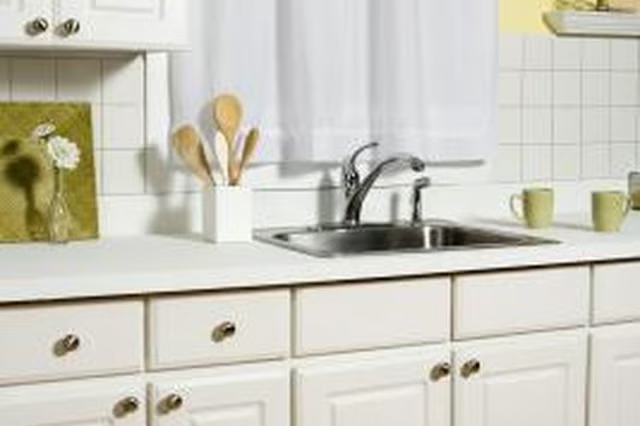
Selecting the Hardware
Step 1
Take off one of the existing hinges on the cabinet, if you are replacing the hinges as well as knobs and pulls. It is a good idea to take off one of the knobs and pulls you plan to replace as well. Remove the securing screws from the hardware with a Phillips-head screwdriver.
Step 2
Pick out the type of knobs or pulls you want to install on the cabinets. Select backplates with the correct number of mounting holes. Backplates are decorative flat pieces of metal that install on the face of the cabinet. They cover the old holes if you are using a single screw knob instead of a two mounting hole pull or handle. The backplates also cover the old impressions left by the previous hardware.
Step 3
Find hinges that are slightly longer and wider than the original hinge. There are no separate backplates available for hinges. Covering impressions and old holes in the cabinet, requires slightly larger hinges.
Installing New Hinges
Step 1
Remove the screws securing the hinge to the cabinet frame with a Phillips-head screwdriver. Take the cabinet door off the cabinet, and remove the hinge from the cabinet door.
Step 2
Dip the ends of wooden toothpicks into wood glue, and stick the glue ends of the toothpicks into the hinge screw holes on the door and cabinet frame. Allow the glue to dry for 8 hours, and cut the toothpicks flush to the surface with a utility knife.
Step 3
Position the new hinge on the door, covering the impression left by the old hinge. When covering the previous impression, be sure to position the remaining hinges in the same manner for an even appearance once installed. Mark the mounting holes. Repeat for all the hinges you are replacing. Drill pilot holes at the marks to a depth one-half the length of the hinge securing screws.
Step 4
Install the hinges onto the cabinet door. Hold the door onto the cabinet and mark the mounting holes for the hinges. Remove the door and drill pilot holes for the hinges at your marks on the cabinet.
Step 5
Position the cabinet door in the opening and secure the hinges to the cabinet frame. Make adjustments as necessary.
Installing Pulls and Knobs
Step 1
Remove the screw on the back of the cabinet door or drawer securing knobs and pulls with a Phillips-head screwdriver.
Step 2
Position a round knob backplate over the face of the existing hole, lining up the center backplate mounting hole with the cabinet or drawer hole. Position the new knob over the backplate, and secure with a screw through the back of the drawer or cabinet.
Step 3
Position the bottom of new pulls over the existing bottom hole on overhead cabinets. Place the top of new pulls over the existing upper hole on base cabinets. Make a mark for the opposite end of the pull with a pencil. If installing a pull where a knob was on a drawer, simply center the pull over the existing hole.
Step 4
Drill holes at your marks with a bit the same diameter as the mounting screws. Position the backplate over the holes on the face of the cabinet or drawer.
Step 5
Place the pull over the backplate and secure with the retaining screws through the inside of the cabinet or drawer.