


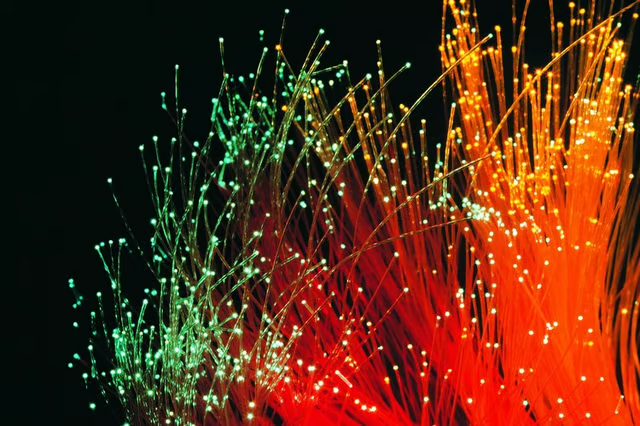
Insert illuminated strands of flexible and extremely thin fiber optic cable into the patterned surface form before pouring concrete. The fiber-optics pattern and colors are all up to you.
Things You Will Need
-
Place the plywood mold atop sawhorses for support. Attach the stencil to the mold with tape. Following the stencil pattern, drill one tiny hole for each fiber, using the drill. Remove the stencil.
-
Place the rebar so it will not distort the pattern. Insert fiber optic cables -- one by one -- through the mold so each fiber extends at least 1/4 inch through the mold. When the concrete is cast and the surface inverted, these fiber-optic bristles will stick up from the top. Give each fiber a slight tug at a perpendicular angle, to make sure it fits snugly.
-
Gather individual fibers into bundles according to the illumination plan. Label and attach them to rebar with zip ties until they all reach their exit point. Tie them vertically to an outside support, to keep them out of the way.
-
Pour the concrete, making sure it flows around all fibers to set them in place. Use your fingers to guide concrete around separate fibers if needed. Vibrate the wet concrete to make sure it’s fully consolidated -- taking care to avoid pulling loose or entangling any tied optic fibers.
-
Untie the optic fibers after the concrete has set for three days. Turn over the mold; the labeled fiber bundles will hang down freely. Insert cedar shims around the edge of the mold to loosen it. Lift the mold straight up and off the surface. Cut the fibers off with the razor blade, flush with the surface.
-
Allow the concrete to fully cure, for another four to 10 days depending on the concrete and the curing conditions. Polish the cured surface with the wet stone polisher, starting with rough finish pads and finishing with very fine pads. Wipe the surface clean with a damp rag. Apply sealer.
-
After the surface is cured, finished and installed, attach the fiber bundles to the illumination box -- pushing the separate bundles through the box’s metal plate. Cut the ends of the fibers with a hot wire to expand their size, for best light transmission and also to make sure they don’t get pulled out of the plate.
The Drip Cap
- Dazzle family and friends by adding fiber optics to countertops, tabletops and even floors -- quite the nighttime light show.
- Acrylic fibers reflect light from one end to the other until it finally exits the far end.
- Turn over the mold; the labeled fiber bundles will hang down freely.
- Lift the mold straight up and off the surface.
- After the surface is cured, finished and installed, attach the fiber bundles to the illumination box -- pushing the separate bundles through the box’s metal plate.