How to Use a Wood Chipper for a Paper Shredder

How to Use a Wood Chipper for a Paper Shredder
Published: Jan 15, 2011
Updated: Nov 20, 2021
1 minute read

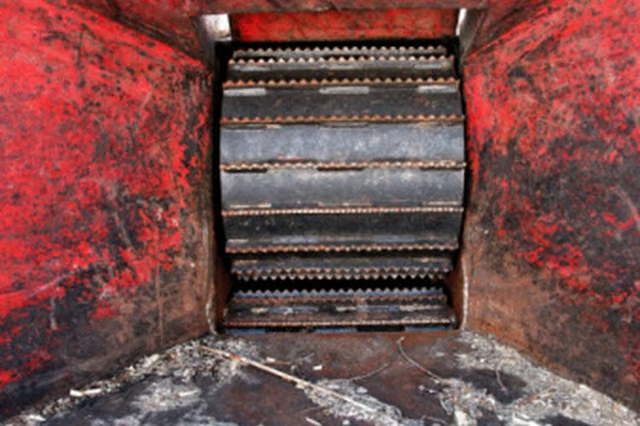
You can shred large stacks of documents with a wood chipper much faster than most office shredders. A wood chipper can turn sensitive papers into confetti in a matter of seconds.

Things You Will Need

  • Electrical outlet or fuel
  • Trash can
  • Goggles
  1. Set the wood chipper up on level ground. Some chippers have stabilizing legs you can extend for increased balance. Add fuel to the tank or plug the chipper into an electrical outlet.

  2. Direct the discharge outlet from the wood chipper to spray into an empty trash can. Cover your eyes with goggles.

  3. Switch the wood chipper on. Adjust the settings in the control box to "small" or "fine" for little paper shreds. Start the blades of the chipper.

  4. Feed a 1½-inch thick stack of papers into the hopper. Allow the teeth of the chipper to draw the pages in and through. Adjust the position of the trash can if the exiting paper shreds are missing.

The Drip Cap

  • Wood chippers are often used in the papermaking process to reduce the size of wood chunks.
  • The same fast spinning blades can turn a stack of paper into a pile of scraps.
  • Set the wood chipper up on level ground.
  • Cover your eyes with goggles.

Photo Credits

Jupiterimages/Photos.com/Getty Images

Jupiterimages/Photos.com/Getty Images

Jeffrey Brian Airman

Jeffrey Brian Airman is a writer, musician and food blogger. A 15-year veteran of the restaurant industry, Airman has used his experience to cover food, restaurants, cooking and do-it-yourself projects. Airman also studied nursing at San…

Sponsored
HomeSteady Logo

HomeSteady is the ultimate guide for all your household needs, from cleaning and HVAC to electrical, DIY and maintenance.

Property of TechnologyAdvice. © 2026 TechnologyAdvice. All Rights Reserved

Advertiser Disclosure: Some of the products that appear on this site are from companies from which TechnologyAdvice receives compensation. This compensation may impact how and where products appear on this site including, for example, the order in which they appear. TechnologyAdvice does not include all companies or all types of products available in the marketplace.