How to Measure Voltage at a Light Socket

How to Read a Multimeter's Capacitance
Written By
Athena Hessong
Athena Hessong
Published: Jan 31, 2011
Updated: Nov 20, 2021
1 minute read
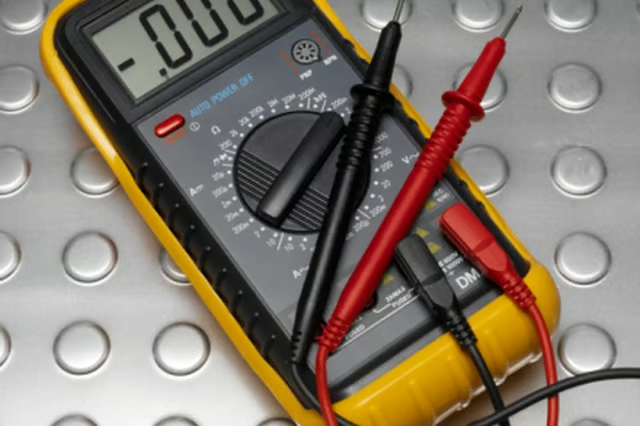
  1. Insert the plug for the black cord into the socket marked "COM" or "COMMON" on the mulitmeter.

  2. Attach the plug for the red cord into the hole marked "V" and "mA" separated by the Greek letter omega.

  3. Switch the multimeter dial so it points to "V" or "Volts." If your multimeter has several voltage options, choose "220V." These numbers indicate the highest voltage the multimeter will read, and 220 volts is the voltage of most household light sockets.

  4. Remove the light bulb from the socket, and turn the light switch on.

  5. Touch the tip of one of the two probes to the center of the socket on the brass plate.

  6. Place the other probe against the inner wall of the light socket.

  7. Look at the display on the multimeter for the voltage of the light socket.

The Drip Cap

  • The best way to determine if a light socket is working is to test its voltage with a multimeter.
  • The probes are connected to an electrical device to test for a current.
  • Insert the plug for the black cord into the socket marked "COM" or "COMMON" on the mulitmeter.

Photo Credits

Polka Dot Images/Polka Dot/Getty Images

Polka Dot Images/Polka Dot/Getty Images

Athena Hessong

Athena Hessong began her freelance writing career in 2004. She draws upon experiences and knowledge gained from teaching all high-school subjects for seven years. Hessong earned a Bachelor in Arts in history from the University of Houston.

Sponsored
HomeSteady Logo

HomeSteady is the ultimate guide for all your household needs, from cleaning and HVAC to electrical, DIY and maintenance.

Property of TechnologyAdvice. © 2026 TechnologyAdvice. All Rights Reserved

Advertiser Disclosure: Some of the products that appear on this site are from companies from which TechnologyAdvice receives compensation. This compensation may impact how and where products appear on this site including, for example, the order in which they appear. TechnologyAdvice does not include all companies or all types of products available in the marketplace.