
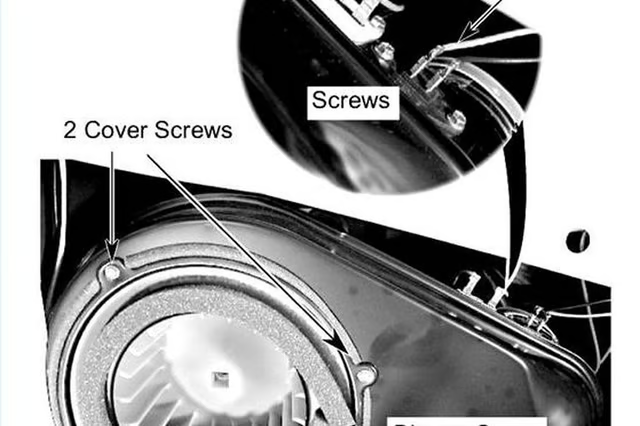


If you do find that the thermal fuse has shorted out, you simply need to pull it out and replace it with a new one.
Things You Will Need
-
Unplug the dryer and remove the front access panel.
-
Locate the blower cover--it's the large object facing you at the bottom of the dryer. The thermal fuse is on that cover; the exact location depends on the make of your dryer. Depending on your dryer model, you may need to remove something before you can access the thermal fuse, perhaps the lint duct or a thermostat cover.
-
Remove the wires from the thermal fuse terminals to test it.
-
Set your multimeter to the R x 1 scale and touch the leads to the thermal fuse terminals to test for continuity. If you get an infinite reading, it means the fuse has blown and needs replacing.
-
Remove the two screws from the fuse and replace it if necessary. Replace the front panel and plug in the dryer to test it.
The Drip Cap
- The thermal fuse shuts down the dryer when it starts to overheat.
- The thermal fuse is on that cover; the exact location depends on the make of your dryer.
- Replace the front panel and plug in the dryer to test it.