
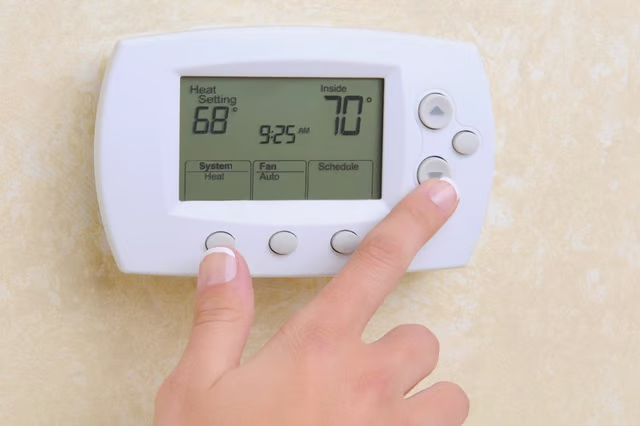
Is your Honeywell thermostat acting up? If you are having trouble setting or keeping your thermostat at a specific temperature, don't assume that anything is broken. You will likely be able to fix the problem yourself, in no time. There are a variety of Honeywell thermostat designs on the market. Regardless of your Honeywell thermostat design, however, there are a few common issues related to temperature. It's important to recognize these if you're having trouble setting your device so you're able to effectively solve the problem.
Common Thermostat Setting Problems and How to Solve Them
If your thermostat won't set, this could be due to a handful of factors. First, check to see if your thermostat is dirty or clogged. Dirt buildup can interfere with both the mechanical and electrical components of your thermostat. If this is the case, use a clean brush to gently brush the interior of your thermostat and clear out debris.
In addition, check to see if there are loose wires or screws inside your thermostat. Tighten screws and wires when needed.
Make sure that your thermostat hangs level. If it was not installed properly or isn't level, this could affect its accuracy.
Finally, ensure that your thermostat is not located in direct sunlight or in front of windows. If your device is in a poorly chosen part of the home, it may not regulate temperatures correctly.
The Difference Between Electronic and Analog Thermostats
There are a couple of key differences between electronic and analog thermostats. When it comes to setting a specific temperature, keep in mind that analog thermostats do not allow you to set an actual temperature -- only a temperature range. Thus, the temperature may be around 5-or-so degrees hotter or cooler than its set point.
Electronic thermostats, on the other hand, employ digital sensors to read the room temperature. This means they are much more accurate at matching the temperature with its set point.
Remember, if you're unable to determine why your Honeywell thermostat won't stay at or reach the desired temperature, refer to the manual that came with your thermostat. This is often the best way to get your device back on track.