How to Remove Photo Eyes From Garage Door Opener

How to Remove Photo Eyes From Garage Door Opener
Published: Jan 28, 2010
Updated: Nov 20, 2021
1 minute read

Step 1

Place a stepladder under the garage door opener head. The head is the part of the opener that has the light and houses the motor. Pull the opener power cord out of the electrical outlet in the ceiling.

Step 2

Locate the quick connect terminals on the back of the opener head. The quick connect terminal will have the white and black wires from the wall button and photo eyes connecting to the terminal. The photo eye wires usually staple to the ceiling above the opener rail.

Step 3

Look at the photo eye wires at the photo eyes and follow the wires to the back of the opener head. Insert a flat-head screwdriver into the quick connect terminal below each wire and press inward to release the wire from the terminal. Remove the black wire and the white wire for each photo eye.

Advertisement

Step 4

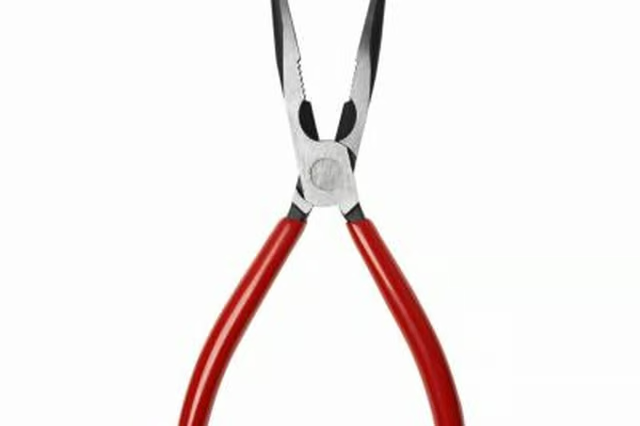
Move your stepladder down the length of the opener rail to reach the staples securing the photo eye wires to the ceiling. Pull the staples out of the ceiling with a pair of needle nose pliers.

Step 5

Remove the wires from each side of the door jamb until all of the photo eye wire is free.

Step 6

Remove the screws that secure each photo-eye to the garage door jamb with a socket wrench. Some manufactures secure the photo eye directly to the door track. Remove the bolt that secures the photo eye to the door track with a socket wrench.

Tips

Do not use the existing photo eye low voltage wire for the new photo eyes. Although this may seem like a time saver, it is best to use new wire when installing new photo eyes.

Warnings

Always disconnect power from the garage door opener before attempting repairs.

Photo Credits

George Doyle/Stockbyte/Getty Images

Kenneth Crawford

Kenneth Crawford is a freelance writer with more than 10 years of experience. His work has appeared in both print and online publications, including "The American Chronicle." Crawford holds an associate degree in business administration…

Sponsored
HomeSteady Logo

HomeSteady is the ultimate guide for all your household needs, from cleaning and HVAC to electrical, DIY and maintenance.

Property of TechnologyAdvice. © 2026 TechnologyAdvice. All Rights Reserved

Advertiser Disclosure: Some of the products that appear on this site are from companies from which TechnologyAdvice receives compensation. This compensation may impact how and where products appear on this site including, for example, the order in which they appear. TechnologyAdvice does not include all companies or all types of products available in the marketplace.