How to Clean a Silicone Keyboard Cover

How to Clean a Silicone Keyboard Cover
Published: Jul 26, 2010
Updated: Nov 20, 2021
2 minute read

Over time, oils from the skin, dirt from the environment and spilled food may collect on the covers, making them look and feel unpleasant. That means the keyboard cover has done its job, and cleaning the removable keyboard cover will prove much easier than cleaning the same dirt from the keyboard itself.

Things You Will Need

  • Mild dish washing liquid
  • Dust brush
  • Soft cloth
  • Towel
  • Microfiber dusting cloth
  1. Fill your kitchen sink with enough warm water to fully submerge the keyboard cover. Add 1/4 tsp. of mild liquid dish detergent.

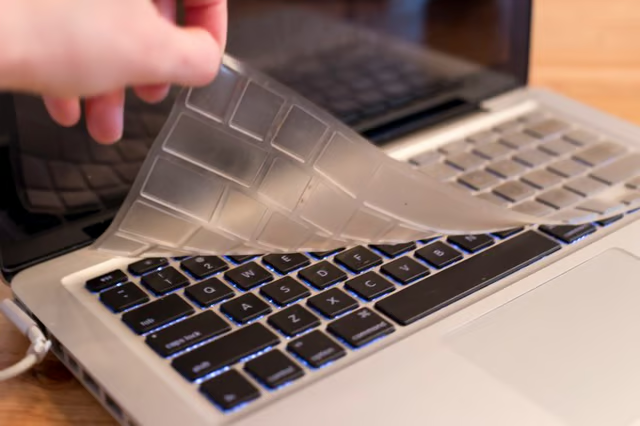
  2. Remove the cover from the keyboard. Hold the cover over a wastebasket and brush off any dust or crumbs.

  3. Submerge the keyboard cover in your kitchen sink. Allow it to soak for 10 minutes if food has dried on it.

  4. Swish the keyboard cover in the soapy water and gently wipe its surface with a clean dish cloth. Follow up by rinsing off the cover with warm water from the faucet.

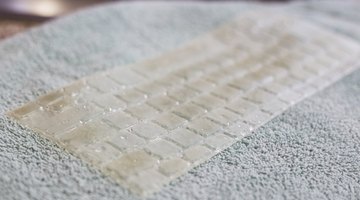
  5. Lay the silicone cover flat on a towel, and allow it to dry completely before placing it back on your keyboard.


The Drip Cap

  • Silicone keyboard covers protect keyboards from dust, spills and excessive wear.
  • Over time, oils from the skin, dirt from the environment and spilled food may collect on the covers, making them look and feel unpleasant.
  • Swish the keyboard cover in the soapy water and gently wipe its surface with a clean dish cloth.

Photo Credits

Jenean Hare/Demand Media

Jenean Hare/Demand Media

Jenean Hare/Demand Media

Jenean Hare/Demand Media

Jenean Hare/Demand Media

Jenean Hare/Demand Media

Jenean Hare/Demand Media

Corey M. Mackenzie

Corey M. Mackenzie has been a professional freelance writer for more than two decades. She received a B.A. with honors from Wichita State University. Corey specializes in writing about pets, interior decorating, health care, gardening,…

Sponsored
HomeSteady Logo

HomeSteady is the ultimate guide for all your household needs, from cleaning and HVAC to electrical, DIY and maintenance.

Property of TechnologyAdvice. © 2026 TechnologyAdvice. All Rights Reserved

Advertiser Disclosure: Some of the products that appear on this site are from companies from which TechnologyAdvice receives compensation. This compensation may impact how and where products appear on this site including, for example, the order in which they appear. TechnologyAdvice does not include all companies or all types of products available in the marketplace.