


The handheld vacuum is lightweight and can be used to reach places that normal vacuums cannot reach, such as corners, as well as clean small spills. It uses a rechargeable battery and should be recharged after each use. Eventually, the rechargeable battery will no longer take a charge and must be replaced.
-
Remove the Dirt Devil Kone from the charging base.
-
Locate the battery housing unit on the underside of the handheld vacuum. Use a Phillip's head screwdriver to remove the screw that is holding the covering plate in place. Once unscrewed, remove the covering plate.
-
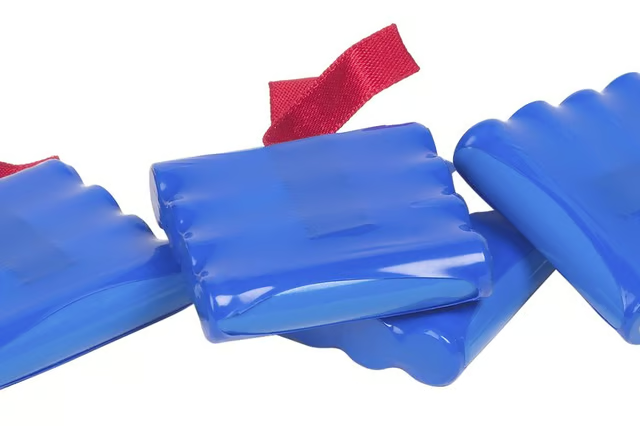
Remove the battery pack. You will need to gently pull to disconnect the connector that is holding the wires together. Do not pull hard, as you could rip the wires out, which will cause irreversible damage.
-
Place a new battery pack in place. The Dirt Devil Kone uses a 7.2 Volt NiMH battery pack. Connect the connector by pushing the battery pack connector into the wire connector.
-
Place the plate over the battery housing unit. Screw the screw back into place.
-
Place the handheld vacuum back into the charging station. Allow the battery to fully charge for 24 hours before using.
The Drip Cap
- A Dirt Devil Kone is a handheld, cordless vacuum cleaner.
- The handheld vacuum is lightweight and can be used to reach places that normal vacuums cannot reach, such as corners, as well as clean small spills.
- Locate the battery housing unit on the underside of the handheld vacuum.